> For the complete documentation index, see [llms.txt](https://boza.gitbook.io/docs/llms.txt). Markdown versions of documentation pages are available by appending `.md` to page URLs; this page is available as [Markdown](https://boza.gitbook.io/docs/tutorials/merge-duplicate-vendors.md).
# Merge Duplicate Vendors
Bring a supplier that was recorded under several names, for example from an invoice and from an integration, back onto one vendor record.
## Before you start
* You are a workspace **Admin**.
* The entries are the same company. Two suppliers that are legally or commercially different should stay separate. A merge cannot be undone.
## Steps
1. Open **Vendors**. If Boza has flagged candidates, a banner reads **N possible duplicate vendors found**; click **Review** to go through them one by one, exactly as for applications.
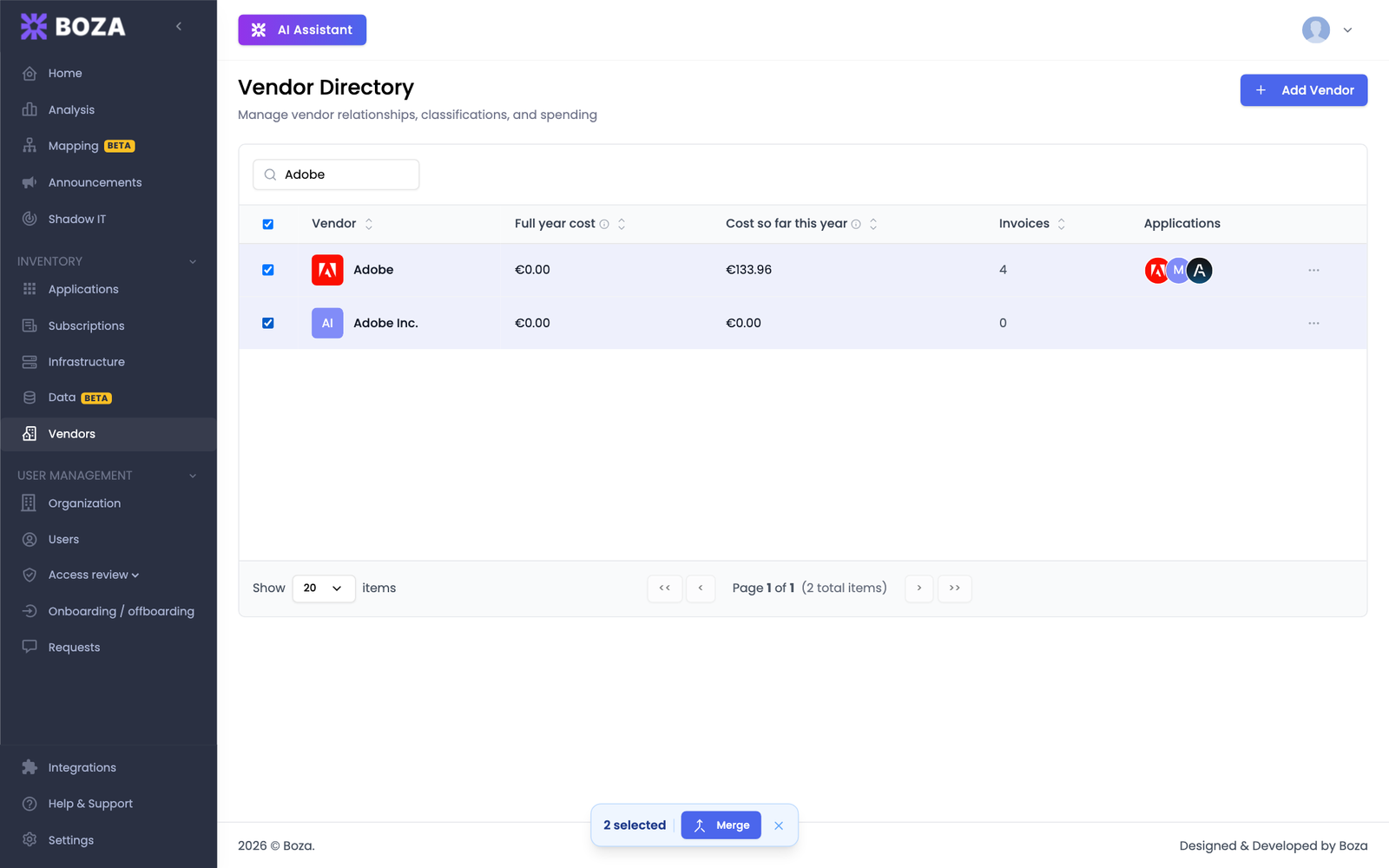
2. Otherwise, search for the supplier and tick every entry to merge. Two or more can be selected; the selection bar appears at the bottom of the window.
3. Click **Merge**.
4. Under **Keep**, select the vendor that survives.
5. Read **What will happen**: the linked applications, payments, spend, and custom fields that move onto the survivor. A payment already recorded on both sides is counted once, and the preview says so.
6. Click **Merge Vendors**.
## Expected result
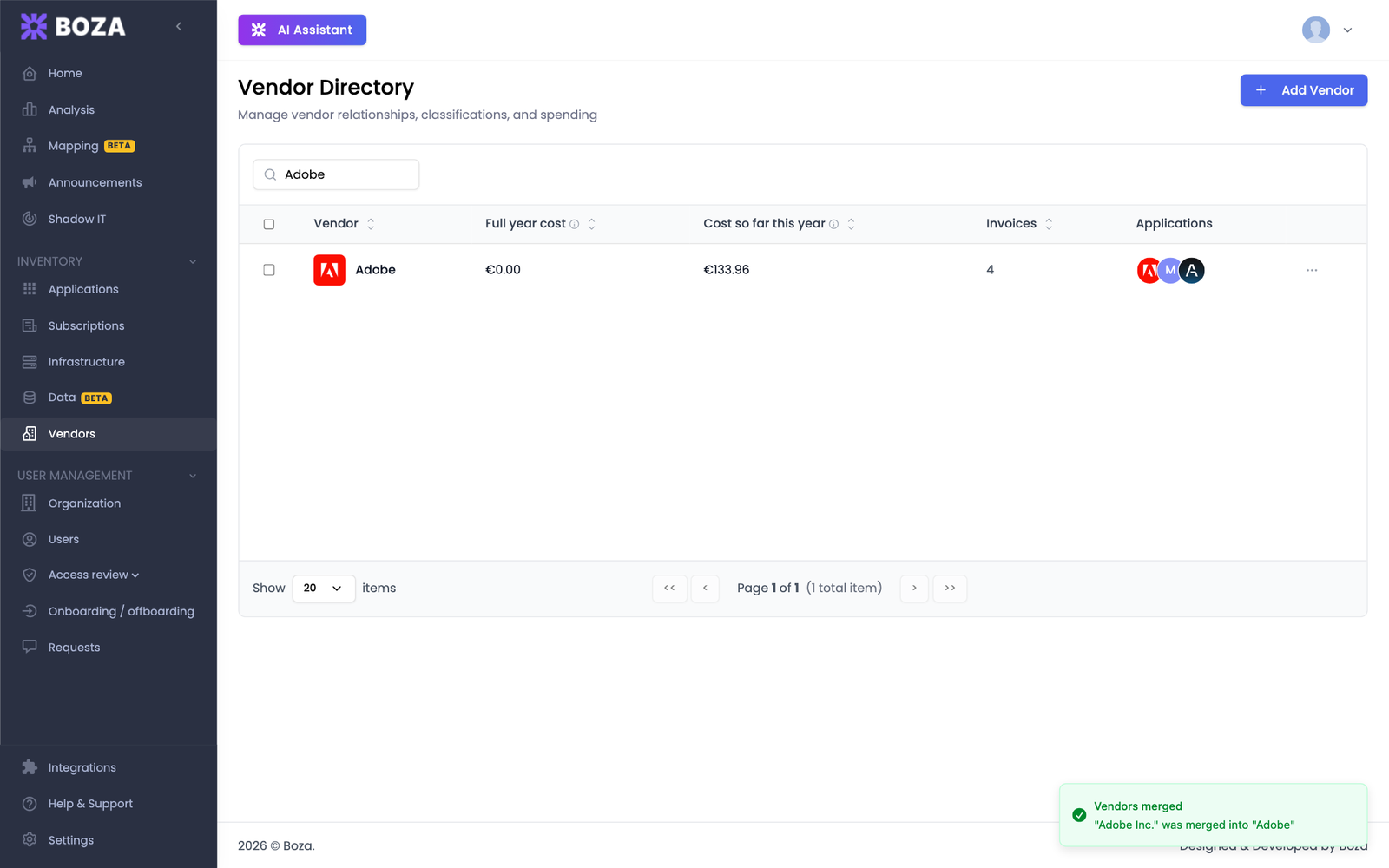
The removed entries disappear from the directory and from the duplicate suggestions, and their applications and payments now sit on the surviving vendor. Future invoices are recorded under it.
The survivor keeps its own details. Anything it was missing, such as a description, website, SLA, or accounting labels, is filled in from the removed entries. The shared vendor catalog is not changed, only your workspace.
## Related guides
* [Vendor Directory](/docs/inventory/vendors.md#merge-duplicate-vendors)
* [Merge duplicate applications](/docs/tutorials/merge-duplicate-applications.md)
---
# Agent Instructions
This documentation is published with GitBook. GitBook is the documentation platform designed so that both humans and AI agents can read, navigate, and reason over technical content effectively. Learn more at gitbook.com.
## Querying This Documentation
If you need additional information that is not directly available in this page, you can query the documentation by asking a question.
Perform an HTTP GET request on the following URL with the `ask` and `goal` query parameters:
```
GET https://boza.gitbook.io/docs/tutorials/merge-duplicate-vendors.md?ask=&goal=
```
`ask` is the immediate question: it should be specific, self-contained, and written in natural language.
`goal` is what the user is ultimately trying to achieve, the reason they need the answer. Sharing it helps GitBook give you a better, more relevant answer. A goal is most helpful when it describes the outcome the user wants rather than restating the question. For example, with `ask=how do I create an API token`, a goal like `automate deployments from our CI pipeline` lets GitBook tailor the answer to that use case.
The response will contain a direct answer to the question and relevant excerpts and sources from the documentation.
Use this mechanism when the answer is not explicitly present in the current page, you need clarification or additional context, or you want to retrieve related documentation sections.