> For the complete documentation index, see [llms.txt](https://boza.gitbook.io/docs/llms.txt). Markdown versions of documentation pages are available by appending `.md` to page URLs; this page is available as [Markdown](https://boza.gitbook.io/docs/tutorials/switch-workspace-language.md).
# Switch Your Workspace to French or English
Change the language of the whole interface and of every email Boza sends, for everyone in your workspace, in one click.
Settings → General → Language, and the page follows.
## Before you start
* You are a workspace **Admin**. The language is a workspace setting, so only admins can change it; everyone else sees the language the admin chose.
* Nothing needs to be saved or reloaded. Anything you were typing stays where it was.
## Steps
1. Open **Settings → General**. The **Language** selector is the first setting on the page.
2. Open the selector and choose **Français** or **English**.
3. The interface switches immediately, without a reload.
After choosing Français.
## Expected result
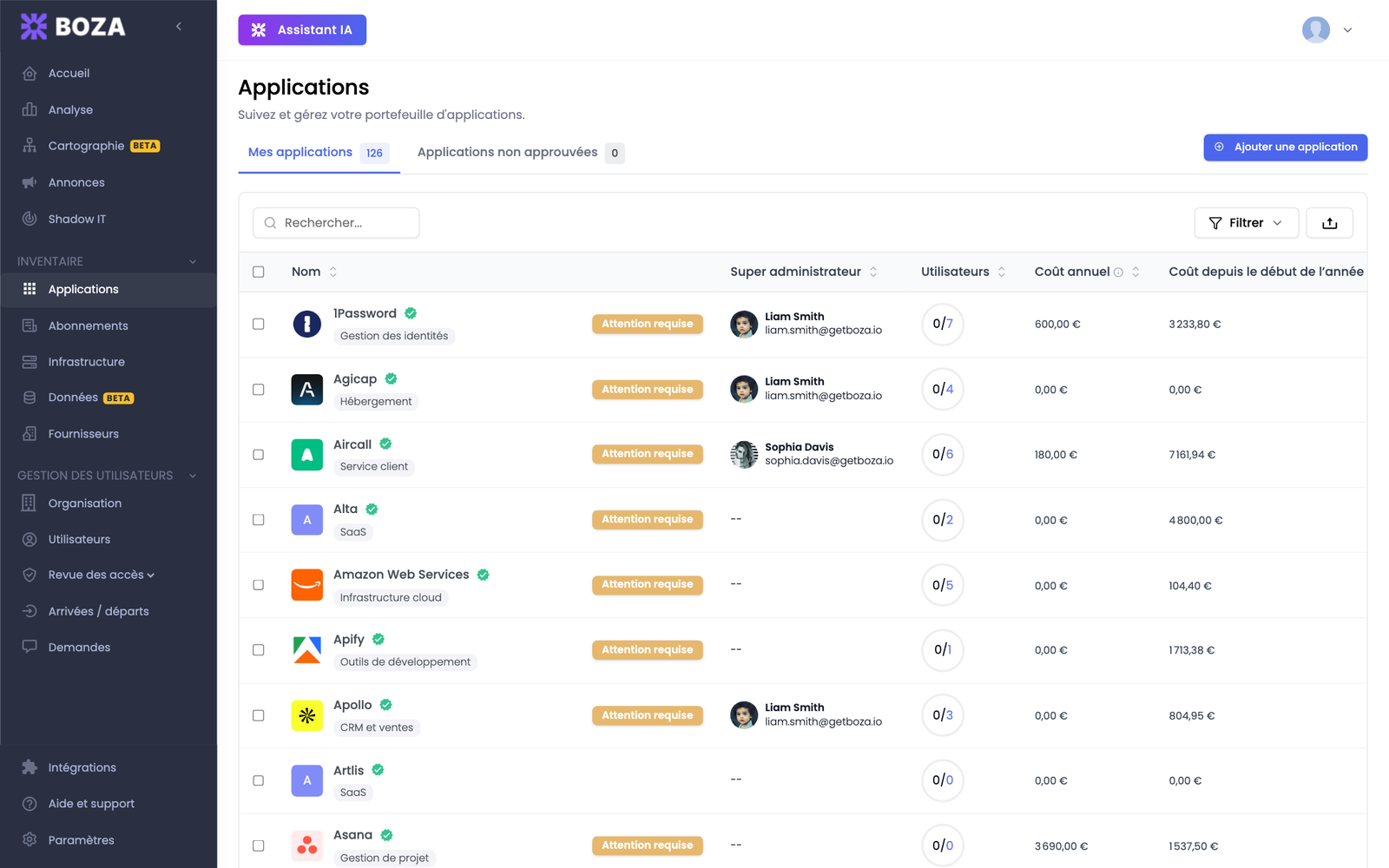
* You see the new language right away, on every page.
* Your colleagues see it the next time they load Boza.
* Every email Boza sends from now on, including access-review invitations and renewal alerts, is written in that language. The preview under **Email sending** shows the new subject line.
* The date and number formats follow the language too: `3 septembre 2026` and `1 234,56 €` in French, `September 3, 2026` and `€1,234.56` in English.
The Applications page in French.
## Good to know
* Boza keeps the choice until an admin changes it again.
* Application names, vendor names, and anything your team typed are never translated. Catalog descriptions and categories are translated progressively after a switch, so a few may show in the previous language for a short while.
* The public access-review page that reviewers open from their email follows the reviewer's browser language.
## Related guides
* [Settings](/docs/settings-and-security/settings.md#language)
* [Emails and notifications](/docs/resources/emails-and-notifications.md)
---
# Agent Instructions
This documentation is published with GitBook. GitBook is the documentation platform designed so that both humans and AI agents can read, navigate, and reason over technical content effectively. Learn more at gitbook.com.
## Querying This Documentation
If you need additional information that is not directly available in this page, you can query the documentation by asking a question.
Perform an HTTP GET request on the following URL with the `ask` and `goal` query parameters:
```
GET https://boza.gitbook.io/docs/tutorials/switch-workspace-language.md?ask=&goal=
```
`ask` is the immediate question: it should be specific, self-contained, and written in natural language.
`goal` is what the user is ultimately trying to achieve, the reason they need the answer. Sharing it helps GitBook give you a better, more relevant answer. A goal is most helpful when it describes the outcome the user wants rather than restating the question. For example, with `ask=how do I create an API token`, a goal like `automate deployments from our CI pipeline` lets GitBook tailor the answer to that use case.
The response will contain a direct answer to the question and relevant excerpts and sources from the documentation.
Use this mechanism when the answer is not explicitly present in the current page, you need clarification or additional context, or you want to retrieve related documentation sections.